
Sorry, your browser does not support JavaScript!

Deploy your own system with Docker

🎬 Video Tutorial


1️⃣ Introduction & Key Features

Local-Solar-PV

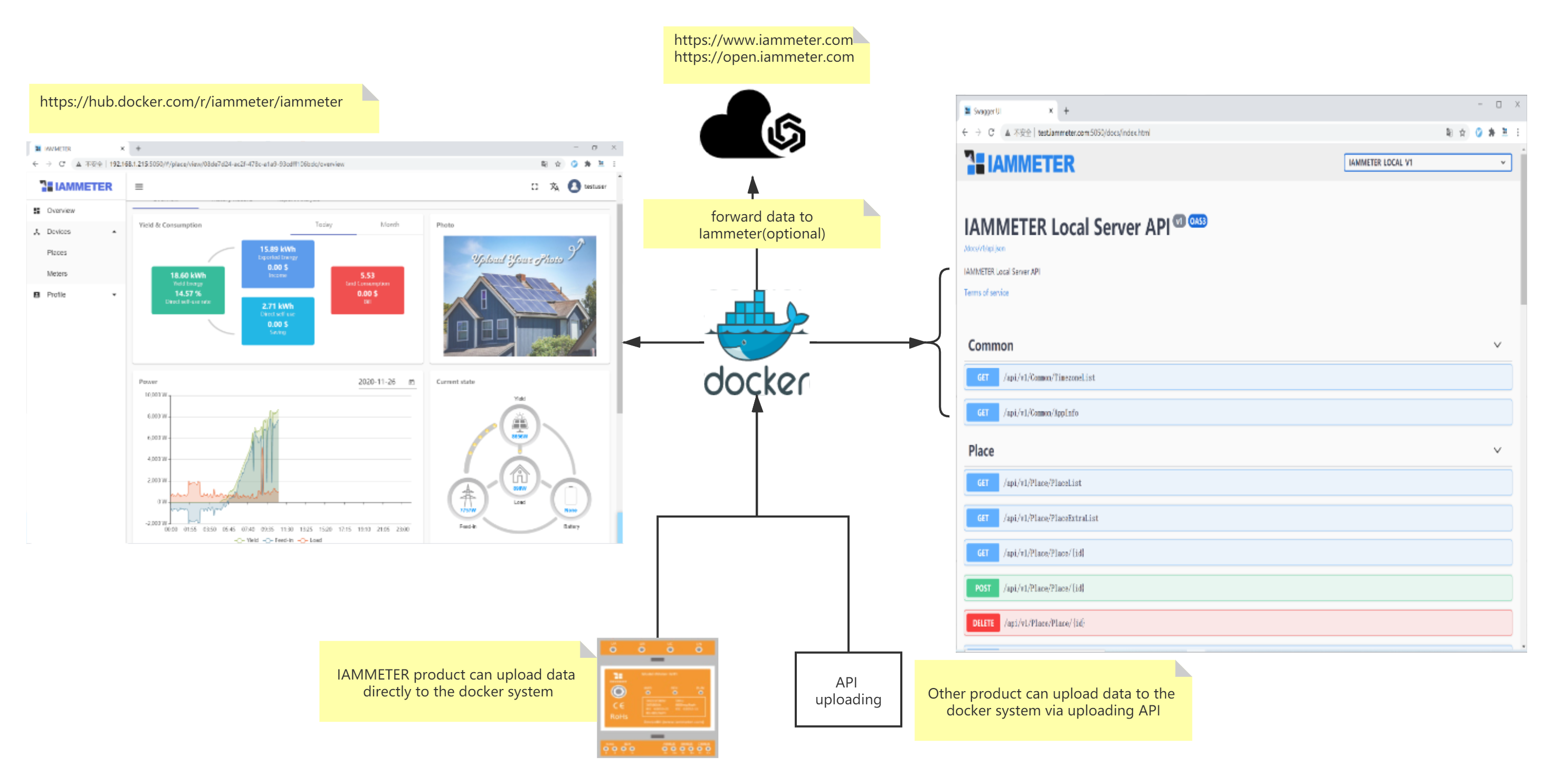
IAMMETER-Docker is an open-source, self-hosted energy monitoring system developed by IAMMETER. The system enables local deployment of data collection, visualization, and API services on personal servers such as Raspberry Pi.

⭐ Key Features

  • 🏠 Self-hosted Deployment: Fully runs on local servers (e.g., Raspberry Pi). Supports deployment on open-source router systems, providing both WLAN access for IAMMETER meters and a self-hosted monitoring environment.
  • 🔗 Open API Server: Functions as a RESTful backend, supporting the development of custom dashboards and integrations.
  • ☁️ IoT Integration: Compatible with IoT platforms such as Azure IoT, with more integrations under development.
  • 🔋 Universal Monitoring: Suitable for both solar PV and residential electricity monitoring, whether IAMMETER meters are used or not.

2️⃣ Quick Start

2.1 Deployment

Refer to the official deployment tutorial on Docker Hub: 👉 IAMMETER-Docker Deployment Guide


2.2 Login and Initial Password

Default credentials:

Username: testuser
Password: 123456

⚠️ Change the default password immediately after the first login.
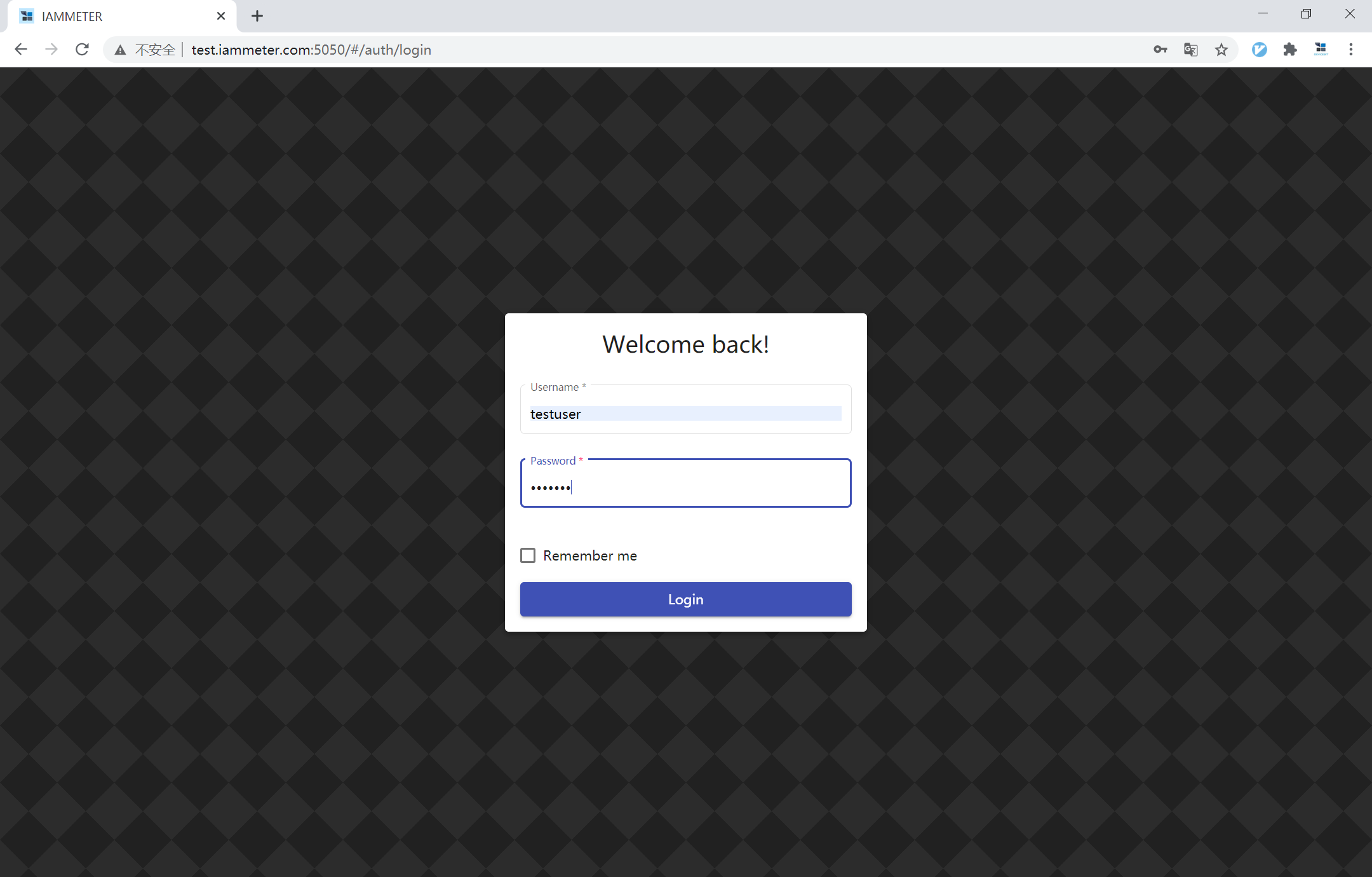
login


2.3 Basic Configuration

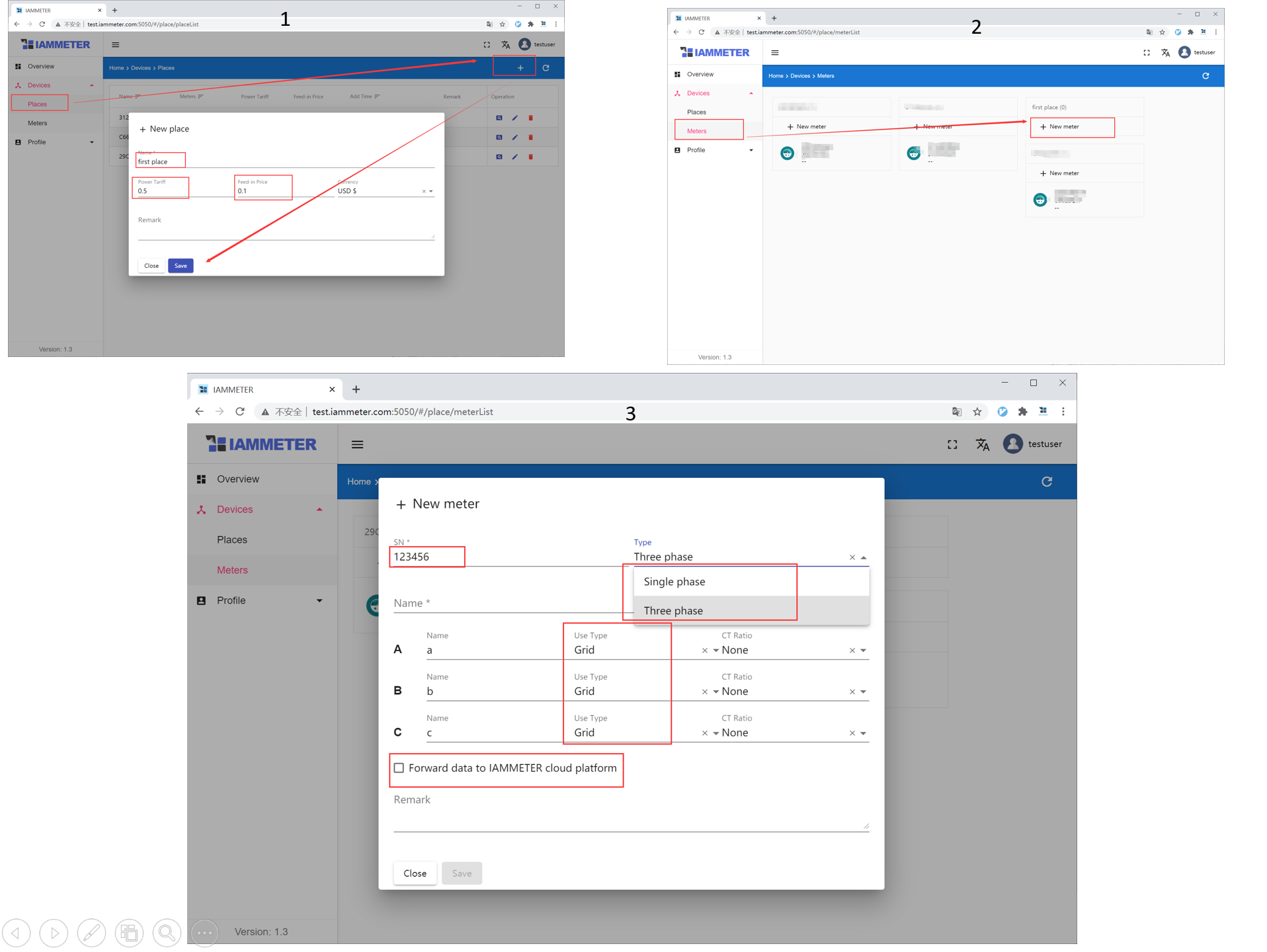
  1. Create a new Place.
  2. Add a Meter and enter its SN (Serial Number).
  3. Configure each phase:
    • Meter Type: Single-phase / Three-phase
    • Use Type: Grid, Inverter, or Load

meter-settings


💡 About SN (Serial Number)

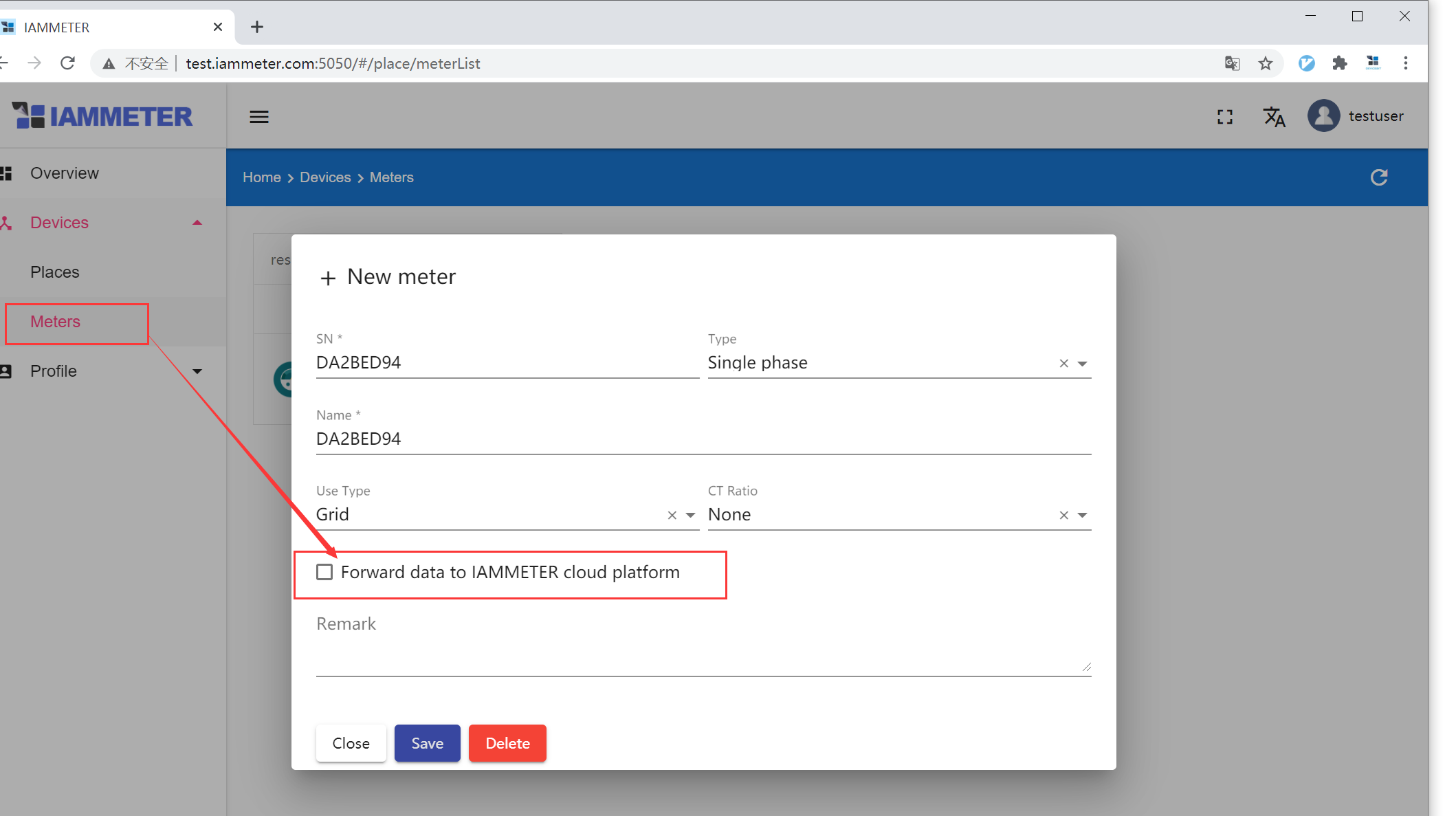
  • With IAMMETER meters: Use the meter’s original SN and enable “Forward data to IAMMETER Cloud” to view data on both platforms. → See Using IAMMETER Product to Upload Data
  • Without IAMMETER meters: Define a custom SN and upload data through the API. → See Using Docker System without IAMMETER Product

2.4 Using IAMMETER Product to Upload Data

a. Configure Meter Settings

Run Mode: http Upload URL:

your-url:5050/api/v1/sensor/uploadsensor

⚠️ Exclude “http://” from the address.
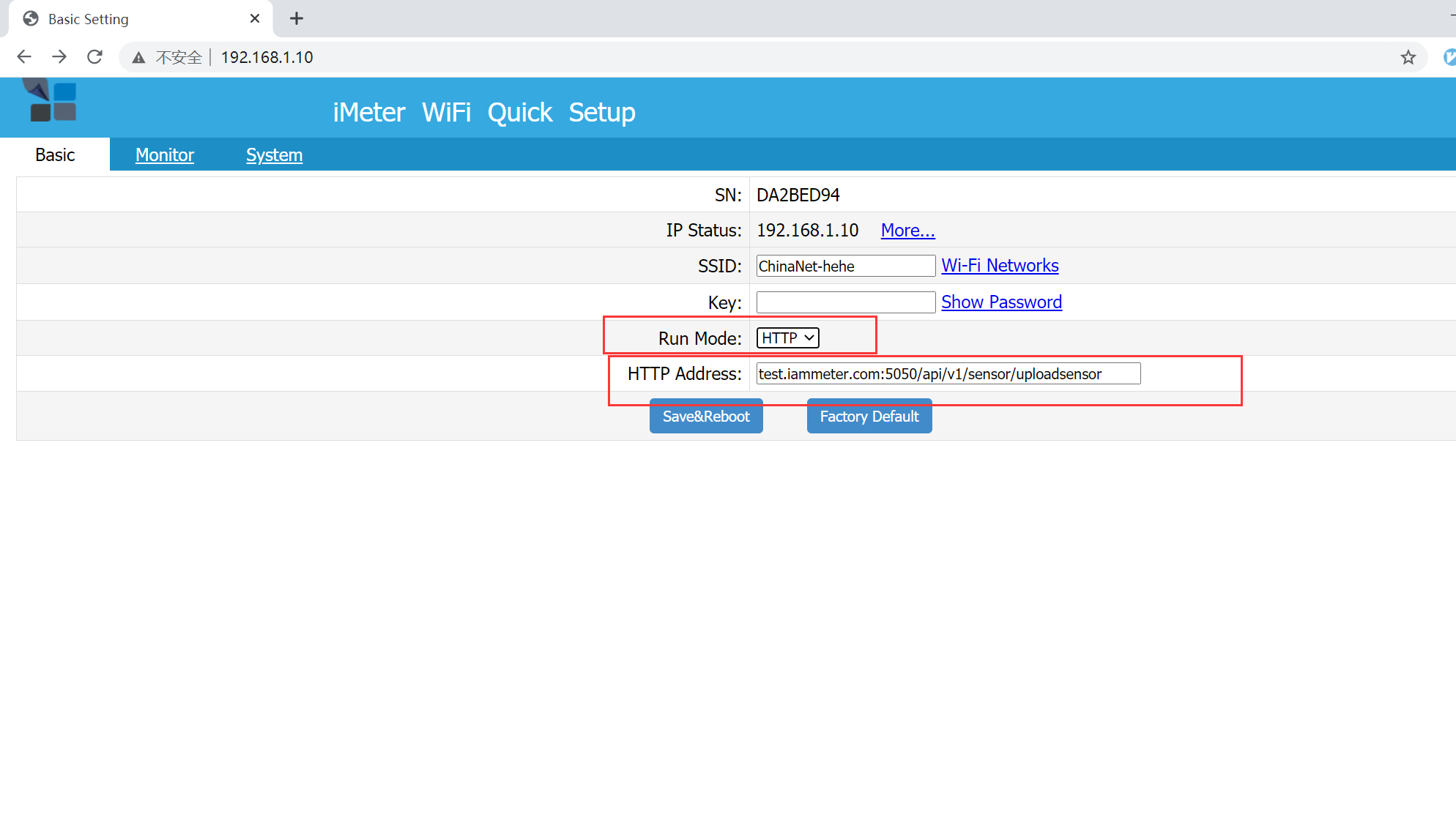
meter-http

b. Forward Data to IAMMETER Cloud (Optional)

Enable this feature to synchronize and view data simultaneously on IAMMETER Cloud.
forward


2.5 Using Docker System without IAMMETER Product

a. Upload Data via API

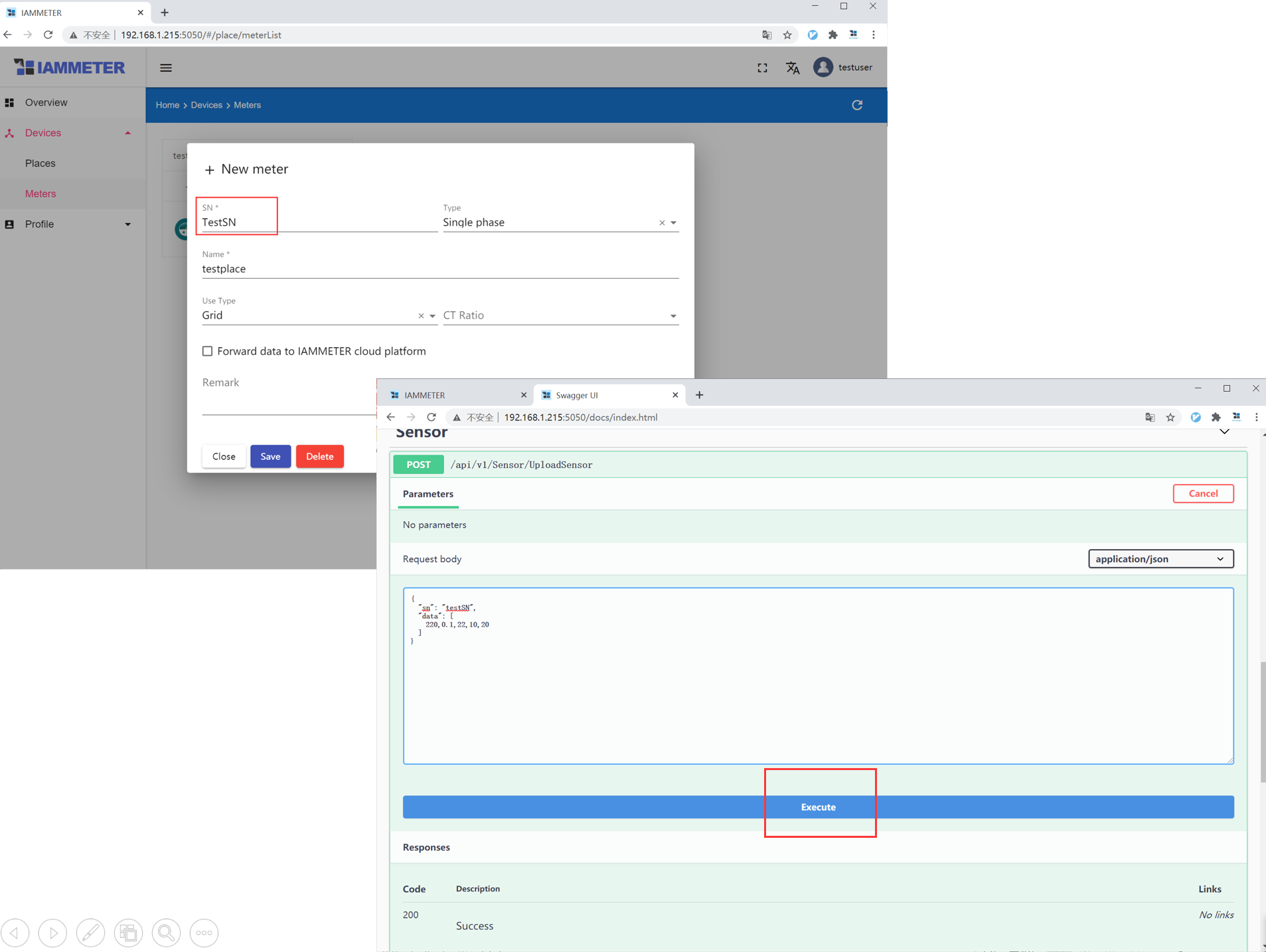
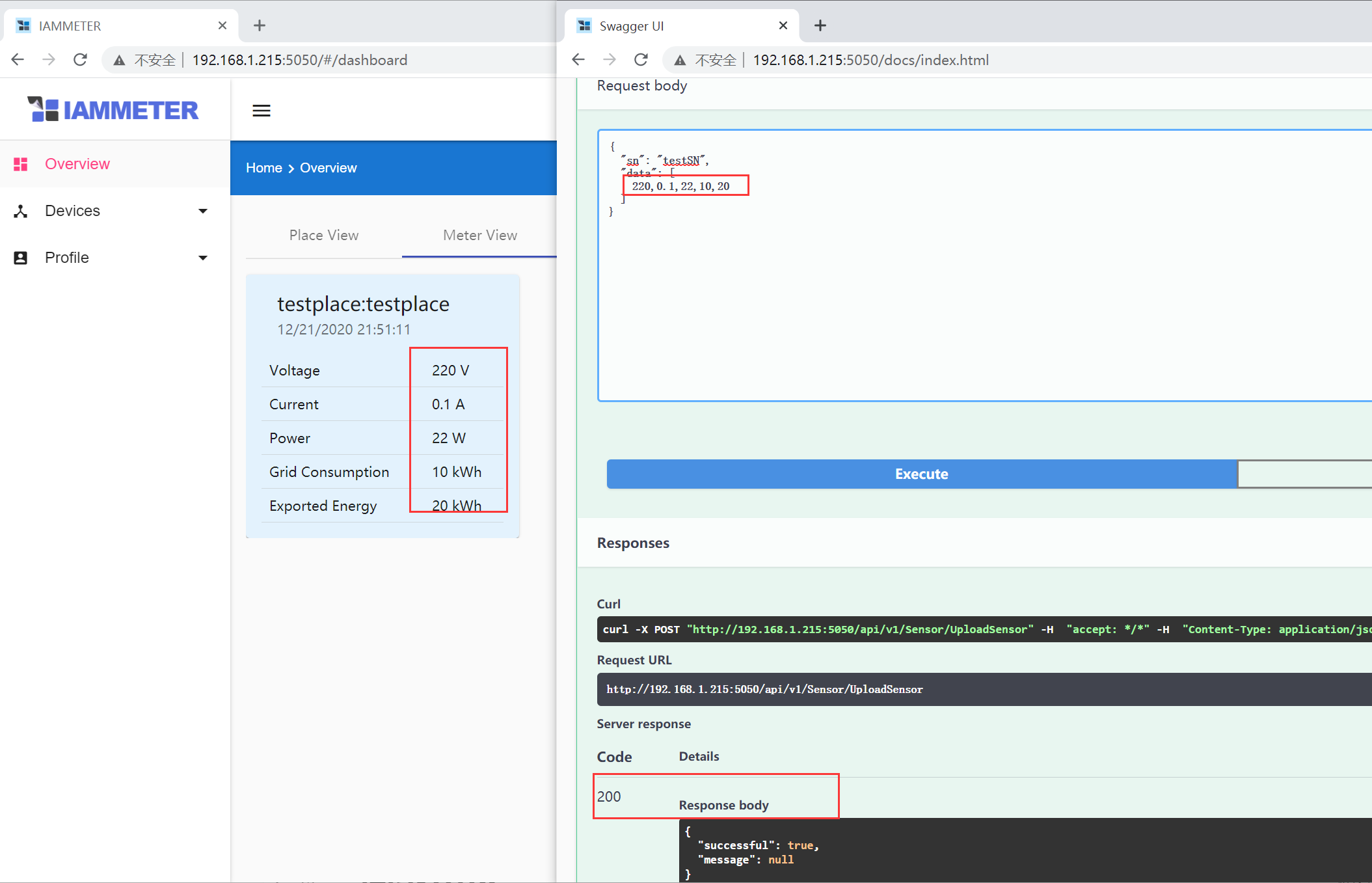
Energy data can be uploaded to the local Docker server using RESTful API calls. The same custom SN must be used consistently in API requests.

API documentation is available at:

http://<docker-ip>:5050/docs

👉 Demo system: http://laoliu.iammeter.com:5050/docs
api-demo1

api-demo2

b. Using IAMMETER Open Platform (Optional)

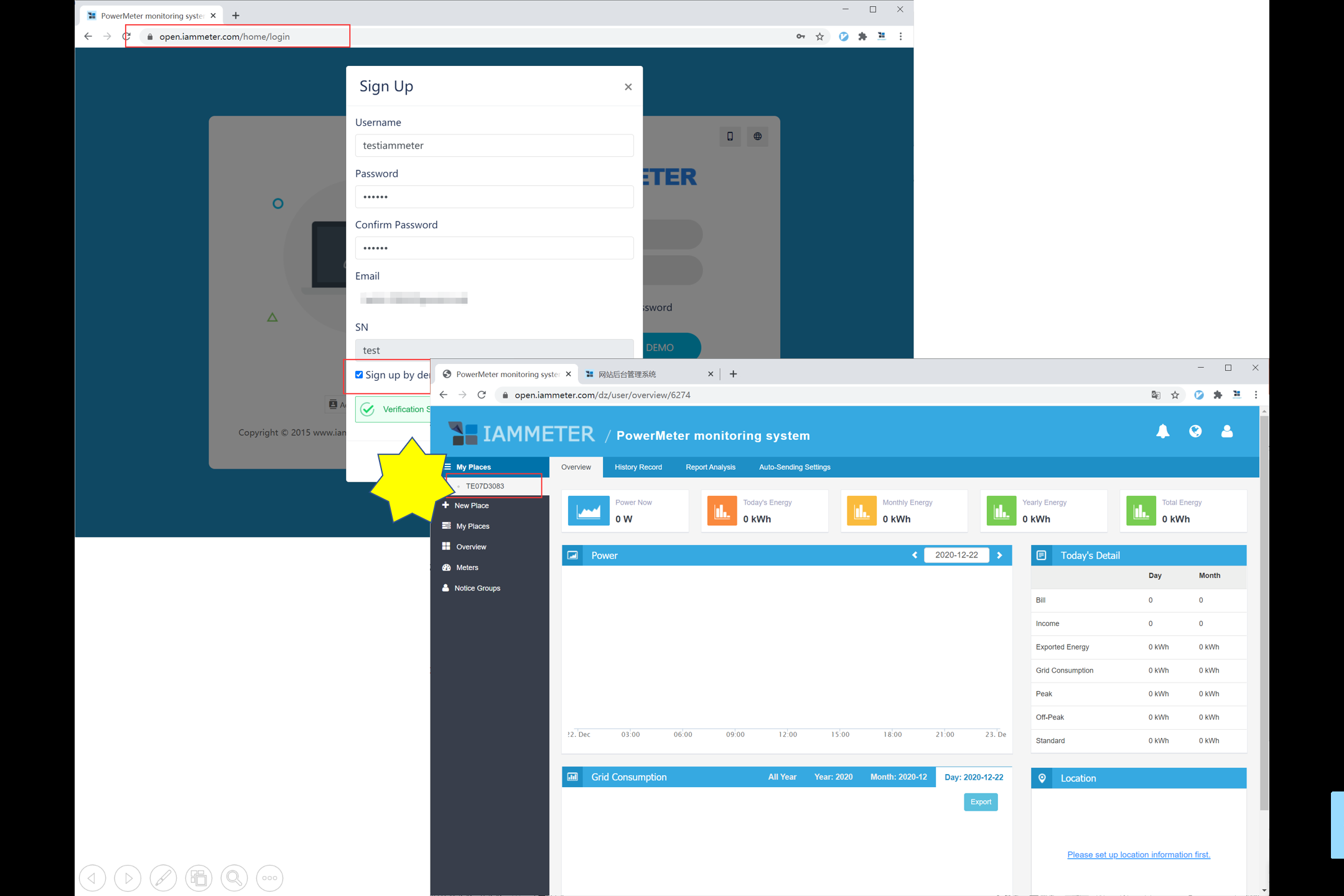
A free account can be registered at open.iammeter.com to upload and manage data via API without using IAMMETER hardware.

Registration remains free. Future subscription plans will not affect existing users.

open-iammeter


3️⃣ Advanced Function — Develop Custom UI via API

IAMMETER-Docker exposes a full RESTful API interface, enabling:

  • Custom dashboard and visualization development
  • Integration with third-party or local monitoring systems
  • Advanced data analytics and automation use cases

API documentation:

http://<docker-ip>:5050/docs

Demo system: http://laoliu.iammeter.com:5050/docs
🧩 Open-source project and AI energy analysis example: Using GPT to Analyze IAMMETER Cloud Energy Data


Last updated: December 2025
Top